6-Month Junior Coding Specialization
Ages 6–10 • Grades 1–4 • Absolute beginner Upcoming Specialization

Junior Coding Explorers — Scratch & Creative Coding

From First Click to First Game

A gentle, highly visual six-month journey for young learners in Grades 1–4. Using Scratch block coding and ScratchJr, children turn screen time into creative storytelling, animated art, and interactive games with guided live instruction.

Target AudienceGrades 1–4
Learner AgesAges 6–10
Coding StyleScratch Blocks
Monthly Builds6 Projects
Upcoming Specialization: Expressions of interest are currently open. Cohort timetables and tuition details will be shared directly with registered parents before enrollment begins.
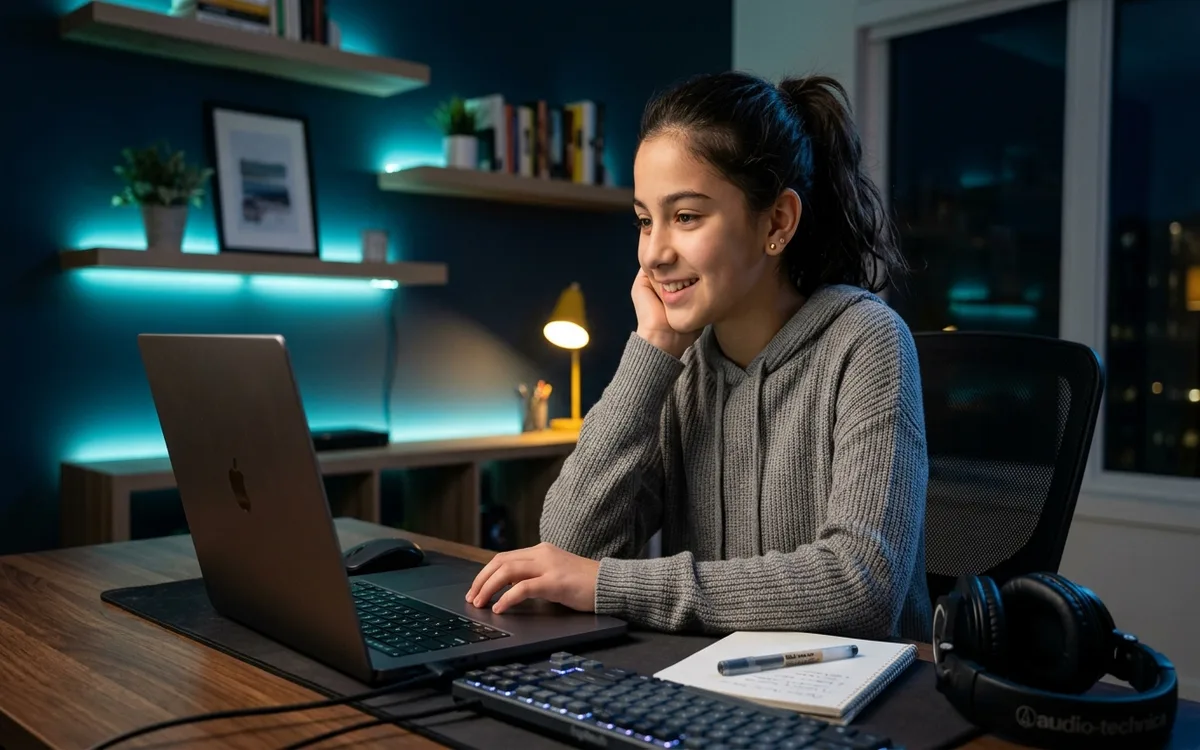
Young primary school learners engaged in creative visual block coding with Scratch during an online class
Live Online • Interactive Groups

From First Click to First Game

Tuition Structure
Timetable & Tuition in Planning

Confirmed directly upon expression of interest

Verified Live Cohort
Schedule:Confirmed with parents before enrollment
Session Length:Confirmed with parents before enrollment
Next Cohort:Confirmed with admissions
Duration

6 months

Classes / Week

Confirmed with parents before enrollment

Session Length

Confirmed with parents before enrollment

Learning Format

Live Online • Interactive Groups

Target Audience

Absolute beginners ages 6–10 (Grades 1–4)

Tuition Structure

Details upon inquiry

KEY CURRICULUM HIGHLIGHTS

Where Creative Imagination Meets Computational Thinking

Junior Coding Explorers is a live online creative computing specialization engineered specifically for primary school learners ages 6–10 in Grades 1–4. Rather than pushing premature text syntax, the curriculum harnesses Scratch visual block-based programming (and ScratchJr for early learners) to build computational intuition, mouse and keyboard dexterity, algorithmic thinking, and creative problem-solving. Differentiated into Little Coders (Grades 1–2) and Junior Creators (Grades 3–4), each month culminates in an engaging, parent-visible project from animated adventures to playable arcade mini-games.

  • Designed specifically for young minds ages 6–10 in Grades 1–4 (no typing or prior coding required)
  • Visual block-based coding with Scratch and ScratchJr — engaging, intuitive, and fun
  • Two differentiated learning streams: Little Coders (Grades 1–2) & Junior Creators (Grades 3–4)
  • Six progressive monthly builds: from digital art and interactive stories to playable games
  • Screen time transformed into active computational creativity, logic, and problem-solving
  • Safe, moderated online classrooms with parent progress updates and guardian support
MILESTONE CAPSTONE

Original Junior Scratch Studio Showcase

Students design, animate, code, and personalize an original Scratch project combining keyboard events, sprite interactions, sounds, and scoring rules.

Verified Outcome

Live learner-led project demonstration for parents and classmates explaining code blocks and creative choices.

Admissions & syllabus consultation availableAsk Admissions
VERIFIED LIVE-BATCH CURRICULUM

Courses, Chapters & Portfolio Projects

The live batch is organized as complete courses. Each course has a locked chapter sequence, one practical project, and a final integrated capstone.

Approved 24-week junior creative computing sequence for Grades 1–4. Differentiated into Little Coders (Grades 1–2) and Junior Creators (Grades 3–4); cohort timetables and session length confirmed upon expression of interest.

Month 1

Computer Explorers

Weeks 1–4

Learning objective

Build computer confidence, motor dexterity, and directional understanding.

Core chapters

  1. 1Computer basics & screen navigation
  2. 2Mouse mastery, click-and-drag dexterity
  3. 3Digital citizenship & safe online habits
  4. 4Scratch interface, sprites & backdrops

Guided activities

Mouse obstacle lab • Directional arrow game • First sprite disco challenge

Course project

Animated Name Card & Sprite Dance

Course outcome

Confidently control mouse and keyboard, navigate Scratch, and animate a first sprite.

Parent-visible outcome

An interactive digital greeting card that moves, animates, and plays sounds.

Level: Little Coders • Highly guided

Milestone: Can launch Scratch, snap blocks together, and trigger action with the Green Flag.
Month 2

Think Like a Coder

Weeks 5–8

Learning objective

Understand that computers require exact, sequential instructions without guessing.

Core chapters

  1. 1Recognizing patterns in daily life and art
  2. 2Step-by-step algorithms & visual instructions
  3. 3Motion, turns & directional sequencing
  4. 4Visual bug detection & sequence fixing

Guided activities

Paper maze coding • Robot step rehearsal • Bug hunt detective game

Course project

Visual Maze Runner

Course outcome

Guide a character through a multi-step obstacle maze using ordered visual blocks.

Parent-visible outcome

A playable puzzle maze where the learner's character reaches the goal.

Level: Little Coders → Junior Creators

Milestone: Can trace an algorithm on screen and explain what each block accomplishes.

Month 3

Creative Stories

Weeks 9–12

Learning objective

Combine creative storytelling with broadcast events and timing coordination.

Core chapters

  1. 1Multi-character sprite interactions on stage
  2. 2Switching stages & changing backgrounds
  3. 3Speech bubbles, dialogues & sound effects
  4. 4Broadcast messaging & conversation timing

Guided activities

Story storyboard sketch • Sound design & optional voice booth • Dialogue synchronisation

Course project

Interactive Animated Storybook

Course outcome

Create a two-character animated dialogue with scene changes and optional voice or sound effects.

Parent-visible outcome

An animated digital storybook featuring sound effects and optional custom voices demonstrated in class.

Level: Junior Creators • Guided storytelling

Milestone: Can use broadcast events to signal when a character speaks or changes scene.

Month 4

Loops & Patterns

Weeks 13–16

Learning objective

Replace duplicated code blocks with efficient repeating structures.

Core chapters

  1. 1Why repetition matters in coding
  2. 2Forever loops vs repeat-times blocks
  3. 3Creative computer art with pen blocks
  4. 4Background music loops & character choreography

Guided activities

Dance loop pattern cards • Pen geometry playground • Music beat synchroniser

Course project

Kaleidoscope Art & Musical Dance Party

Course outcome

Use loops to draw kaleidoscopic patterns and sync character animations with music.

Parent-visible outcome

An interactive music and visual art project powered by loops.

Level: Junior Creators • Creative logic

Milestone: Can explain how a repeat block simplifies multi-step repetitive code.

Month 5

Game Creators

Weeks 17–20

Learning objective

Implement core game design mechanics combining user input and condition checks.

Core chapters

  1. 1Arrow keys & keyboard controls
  2. 2Sprite sensing & collision detection
  3. 3Variables for scorekeeping & coin collection
  4. 4Game rules: winning, losing & timer countdowns

Guided activities

Game design blueprint • Collision physics testing • Score balance challenge

Course project

Catch-the-Star Arcade Game

Course outcome

Build a playable arcade collection game with score counters, sound effects, and win rules.

Parent-visible outcome

A playable keyboard-controlled arcade game that family and friends can play.

Level: Junior Creators • Game mechanics

Milestone: Can connect an 'if touching' condition to a score variable increment.

Month 6

Junior Project Studio

Weeks 21–24

Learning objective

Bring all coding skills together into a polished, personalised project showcase.

Core chapters

  1. 1Ideating an original game or animated story
  2. 2Personalising artwork, sound effects & characters
  3. 3Systematic testing & debugging with peers
  4. 4Private showcase demonstration & explaining design decisions

Guided activities

Project ideation canvas • Peer playtesting circle • Parent showcase rehearsal

Course project

Original Junior Scratch Studio Showcase

Course outcome

Design, test, and demonstrate an original Scratch capstone project to family and classroom peers.

Parent-visible outcome

A final creative capstone demonstrated live by the learner in a private classroom session, celebrating their journey.

Level: Junior Creators • Capstone showcase

Milestone: Can demonstrate their project live, explain their favourite code block, and share one bug they solved.

Final Integrated Capstone

Original Junior Scratch Studio Showcase — An animated story, interactive art, or playable arcade mini-game demonstrated live for parents and peers.

LEARNING JOURNEY

From First Click to First Game in Six Progressive Months

Every month builds upon the previous one. Children start with mouse dexterity and interface confidence, progress to visual sequencing, and culminate in building their very own playable Scratch arcade games and interactive animated stories.

  1. 1

    Stage 1

    Computer Explorers

    Mouse, keyboard & visual commands

  2. 2

    Stage 2

    Think Like a Coder

    Patterns, sequences & simple mazes

  3. 3

    Stage 3

    Creative Stories

    Characters, dialogues & animation

  4. 4

    Stage 4

    Loops & Patterns

    Repetition, music & digital art

  5. 5

    Stage 5

    Game Creators

    Keyboard controls, rules & score

  6. 6

    Stage 6

    Junior Project Studio

    Personalised capstone demonstration

TWO AGE-APPROPRIATE STREAMS

Little Coders & Junior Creators

A 6-year-old in Grade 1 learns differently than a 9-year-old in Grade 4. Both streams belong to one cohesive specialization but feature differentiated pacing, instructions, and session structures.

Grades 1–2 • Ages 6–7

Little Coders

First Steps into Creative Computing

Engineered specifically for early primary students who are developing mouse control, reading independence, and directional logic.

Primary Technology

Scratch visual blocks & ScratchJr-style interactive activities

Teaching Methodology

Very short, bite-sized visual instructions, playful movement breaks, high instructor demonstration, and patient guided practice.

Key Learning Outcomes
  • Click-and-drag mouse and trackpad mastery
  • Recognising patterns, colours, and ordered steps
  • Animating characters with simple start triggers
  • Optional voice recording and creative storytelling (guardian-controlled)

* Stream placement is confirmed by admissions with parents based on child readiness, motor skills, and prior exposure.

Grades 3–4 • Ages 8–10

Junior Creators

Interactive Games & Algorithmic Logic

Designed for primary students ready for richer multi-sprite projects, event broadcasting, loops, and interactive game rules.

Primary Technology

Full Scratch block-based visual environment

Teaching Methodology

Guided problem decomposition, encouraging children to plan features on paper, snap logic blocks, and debug visual mistakes.

Key Learning Outcomes
  • Multi-sprite broadcast messaging and scene changes
  • Keyboard controls (arrow keys and spacebar)
  • Forever and repeat loops for movement and generative art
  • Score variables, sensing collision, and beginner game physics

* Stream placement is confirmed by admissions with parents based on child readiness, motor skills, and prior exposure.

THE PEDAGOGICAL FOUNDATION

Why Block-Based Coding Instead of Text?

Children ages 6–10 are still mastering touch typing, spelling, and motor dexterity. Forcing text syntax like semicolons, indentation, and curly braces causes unnecessary frustration and dampens natural curiosity.

Zero Syntax Frustration

Blocks snap together like digital Lego. If two blocks don't fit logically, they simply won't connect, preventing syntax crashes.

Real Computer Science

Scratch teaches real computing concepts: events, loops, conditionals, variables, and coordinates—the exact foundation for Python later.

What Children Actually Learn

Sequencing: Arranging actions in exact chronological order.
Events: When Green Flag clicked, when key pressed, when sprite touched.
Loops & Repetition: Repeating actions forever or a fixed number of times.
Conditionals: If touching wall then bounce; if score equals 10 then win.
Variables: Storing and changing scores, lives, and timers.
WHY PARENTS CHOOSE JUNIOR CODING

Benefits That Extend Beyond the Screen

Learning to code early isn't about training software engineers—it's about teaching children how to think clearly, communicate ideas, and persevere through challenges.

Screen Time Transformed into Creation

Rather than passively watching cartoons or playing commercial games, children become active creators—learning how digital entertainment is actually built.

Computational Thinking Without Frustration

Scratch snap-together blocks eliminate spelling mistakes and syntax errors. Children focus 100% on logical reasoning, sequencing, and cause-and-effect.

Early Math & Spatial Reasoning

Concepts like X-Y coordinates, negative numbers, angles, counting, and timing become concrete and intuitive through colourful on-screen movements.

Patience, Resilience & Debugging

When a character turns the wrong way, learners treat it as a curious puzzle to solve rather than a failure—fostering deep problem-solving confidence.

THE 6-PROJECT SHOWCASE

A Visible Project Built Every Single Month

Young learners thrive when they can see and share the fruits of their effort. Each month ends with an authentic, playable project that children eagerly demonstrate to parents.

Month 1

Animated Name Card & Sprite Dance

A vibrant digital greeting card where characters dance, change colours, and introduce the young creator.

Core Concepts

Mouse dexterity, sprite positioning, green flag events

Month 2

Visual Maze Runner

An interactive visual puzzle where learners guide a playful character through an obstacle maze to collect items.

Core Concepts

Step-by-step algorithms, motion blocks, sequence debugging

Month 3

Interactive Animated Storybook

A mini animated story with speech bubbles and optional recorded voice or sound effects, where characters converse in private classroom demos.

Core Concepts

Multiple sprites, backdrop changes, speech bubbles & optional audio

Month 4

Kaleidoscope Art & Musical Dance Party

A colourful generative art and music project where dancers groove to beats programmed with repeating loops.

Core Concepts

Repeat loops, pen blocks, geometric patterns, beat timing

Month 5

Catch-the-Star Arcade Game

A playable arcade game with a falling star, moving basket, score counter, and cheerful sound effects.

Core Concepts

Arrow key controls, collision sensing, scorekeeping variables

Month 6

Original Junior Scratch Studio Showcase

An original Scratch game or story planned, animated, and demonstrated live to family and classroom peers in a private, supportive showcase.

Core Concepts

Creative ideation, project polish, debugging, live presentation

CLASSROOM ENVIRONMENT

Safe, Patient & Encouraging Live Instruction

We believe young children need gentle encouragement, not rigid lectures. Our classes are small, collaborative, and interactive, led by instructors trained in early childhood pedagogy and screen sensitivity.

Group Sizes

Confirmed with parents before enrollment

Session Durations

Confirmed with parents before enrollment

Bilingual

English with Urdu explanations

100% Supervised

Safe, private video classrooms

THE JUNIOR LEARNING METHOD
1

1. Watch & Wonder

The teacher demonstrates a playful animation on screen, sparking curiosity and discussion.

2

2. Guided Build

Learners snap blocks step-by-step together on their own screen, asking questions freely.

3

3. Creative Remix

Each child personalises characters, sounds, and colours to make the project their own.

4

4. Screen Share Pride

Children share their completed animation with the class to applause and encouragement.

DEVICE & HARDWARE SETUP

What Your Child Needs to Start

  • Computer or Laptop (Recommended): Windows PC, Mac, or Chromebook with Google Chrome, Microsoft Edge, or Safari. A laptop or desktop provides the best learning experience for Scratch block coding with full keyboard and mouse support.
  • Physical Mouse or Trackpad: A dedicated physical mouse is strongly recommended over touchpads for young hands, making dragging and snapping coding blocks effortless and comfortable.
  • Tablet Support (ScratchJr & Early Learners): Supported iPads and Android tablets are suitable for early ScratchJr activities (Grades 1–2). For full Scratch 3.0 in Junior Creators (Grades 3–4), a laptop, desktop PC, or Chromebook is recommended because keyboard arrow controls are required for games.
  • Audio & Internet: Stable home internet connection and working microphone/headset for live interactive class conversation.
GUARDIAN INVOLVEMENT & SAFETY

Safe Classroom Environment

  • Guardian Consent Required: Admissions collects guardian contact details and consent for all learners under 18.
  • Parents Welcome to Sit In: Guardians are encouraged to help with initial video setup and observe classroom comfort.
  • Guardian-Controlled Media & Strict Privacy: Class sessions are private and password-protected; voice recordings are entirely optional (learners may use built-in sound effects), and student projects are never shared publicly without express parent permission.
  • Transparent Progress Updates: Parents receive monthly updates highlighting what was built and celebrating milestones.
THE TBOS COMPUTING CONTINUUM

A Clear Pathway from Primary School to Middle School

Junior Coding Explorers is the first step in our structured children's computing pathway. Once students complete Grades 1–4 and reach Grade 5 (around age 10), they smoothly graduate into our text-based Python Young Developers specialization.

Phase 1: Grades 1–4

Junior Coding Explorers (Scratch Blocks)

Phase 2: Grades 5–8

Young Python Developers (Text & Turtle)

IDEAL CANDIDATES

Who this Cohort is For

  • Curious young minds ages 6–10 in Grades 1–4 eager to create rather than just passively consume media
  • Children who love cartoons, Lego, puzzles, storytelling, and digital creativity
  • Parents seeking a safe, structured, screen-positive online environment that nurtures computational logic
  • International and overseas Pakistani families wanting patient, English/Urdu bilingual live instruction
STARTING REQUIREMENTS

Prerequisites & Preparation

  • No prior coding or technical background required — complete beginners are warmly welcomed
  • A laptop, desktop computer, or Chromebook with mouse or trackpad (tablets supported for early visual activities)
  • Reliable home internet connection and working audio/microphone
  • A parent or guardian available for orientation, setup assistance, and admissions communication
TRANSPARENT LEARNING EXPERIENCE

What Live Cohort Learning Means

We focus on genuine mentorship, scheduled accountability, and real programming practice. Here is what to expect in every session.

Live Instructor Teaching

Classes are conducted live online with real-time screen sharing and step-by-step code demonstration by the assigned programming instructor — not pre-recorded videos.

Guided Practical Coding

Students write code alongside the mentor during the session. Immediate hands-on exercises ensure concepts are practiced and retained right away.

Interactive Live Q&A

Ask questions during class, work through syntax and runtime errors, and receive feedback on guided practice and submitted work.

Structured Milestones

Progress through 6 distinct roadmap phases with concrete milestone outcomes and a comprehensive capstone project showcasing your actual code.

ENROLLMENT & SCHEDULE INQUIRY

Register Interest for Upcoming Cohorts

Junior Coding Explorers cohorts are scheduled in interactive, age-adapted groups. Group sizes, teaching schedules, session durations, and transparent tuition details will be confirmed with parents before enrollment.

Demo class availability will be announced separately once the program launch arrangements are finalized.
No hidden registration deposits, automatic commitments, or surprise fees
Timetables and payment instructions coordinated directly by admissions
Cohort Status

Expressions of Interest Open

Register your interest to receive syllabus details, priority batch notification, and schedule options before general seats open.

FREQUENTLY ASKED QUESTIONS

Questions About Junior Coding Explorers

Clear, honest answers regarding curriculum, scheduling, fees, and the Free Demo trial session.

What ages and grades is Junior Coding Explorers designed for?
Junior Coding Explorers is designed specifically for children ages 6–10 in Grades 1–4. Absolute beginners with zero prior computer or coding experience are warmly welcomed.
Why Scratch visual block programming instead of text-based Python?
Children ages 6–10 are still mastering typing and spelling. Scratch uses visual snap-together blocks like digital Lego, eliminating frustrating syntax errors (missing colons, commas, or typos). It allows young minds to focus 100% on computational thinking, algorithmic logic, creativity, and problem-solving without syntax frustration.
What is the difference between Little Coders (Grades 1–2) and Junior Creators (Grades 3–4)?
Both groups belong to the same six-month specialization but have differentiated sessions and pacing. Little Coders (Grades 1–2) focuses on mouse dexterity, patterns, visual sequences, and ScratchJr-style animated stories with very short instructions and guided practice. Junior Creators (Grades 3–4) builds interactive multi-scene animations, loops, keyboard controls, arcade mini-games, and debugging.
What computer device or setup does my child need?
A laptop, desktop computer, or Chromebook with a modern web browser, reliable internet, and a working microphone or headset. A physical mouse or trackpad is strongly recommended for comfortable drag-and-drop block placement. Supported tablets can also be used for early visual activities.
What will my child build during the six months?
Every month ends with a visible project: an Animated Name Card & Sprite Dance (Month 1), Visual Maze Runner (Month 2), Interactive Animated Storybook (Month 3), Kaleidoscope Art & Musical Dance Party (Month 4), Catch-the-Star Arcade Game (Month 5), and an original capstone Scratch project demonstrated live during the Junior Project Studio (Month 6).
What is the schedule, session length, and tuition fee?
Group sizes, teaching schedules, and session durations will be confirmed with parents before enrollment, alongside cohort tuition details. We do not charge unverified fees or lock parents into commitments before schedules are finalized.
Is a scheduled Free Demo currently available for Junior Coding Explorers?
Demo class availability will be announced separately once the program launch arrangements are finalized. In the meantime, parents can submit an expression of interest to receive program updates, syllabus details, and priority cohort notification.
Can parents attend or assist during live classes?
Yes! Guardians are warmly encouraged to assist younger learners with initial device login, screen sharing, and audio setup. Our classrooms are safe, private, and moderated, with transparent monthly progress updates shared with parents.
Can international students join from overseas?
Yes. We welcome students from Pakistan, the UAE, Saudi Arabia, the UK, and across the globe. Timetables are coordinated by admissions to align with convenient after-school or weekend hours in your region.
How does my child progress after completing Junior Coding Explorers?
Junior Coding Explorers provides the ideal conceptual bridge to text-based coding. When students reach Grade 5 (approx. age 10), they smoothly transition into our Young Python Developers specialization with established computational intuition and confidence.
OTHER ACTIVE COHORTS

Explore Other Live Programs

Scheduled group classes currently accepting students.

Young learner building a beginner Python Turtle game during a live online coding class
6-Month Young Developer Specialization
Free Demo

From Computer Basics to Python Games & Real Applications

A parent-friendly, live online specialization that takes absolute beginners from basic computer confidence to Python logic, Turtle games, practical data work and a guided desktop application showcase.

Audience: Absolute beginners ages 10–15 (Grades 5–8)
Duration: 6 months
Schedule: 3 planned live sessions/week (60 minutes per session)
Monthly Fee:
Rs 10,000/monthRs 5,000/month

One parent-attended live demo session is free before enrollment

  • Designed for absolute beginners ages 10–15 in Grades 5–8
  • 24-week plan with 3 planned live sessions per week and 60-minute lessons (72 planned sessions total)
  • Six monthly projects: Digital Passport, Quiz, Turtle Scene, Turtle Game, Quiz Studio and guided GUI App
University learner working through structured 100 days Core Python programming in a professional workspace
Complete Python Series
Free Demo
3–4 classes/week

100 Days Complete Python

3 Learning Levels • 1 Complete Python Series (37 Live Lectures)

A structured 100-day intensive program delivering 37 comprehensive live lectures across 6 progressive phases — taking you from absolute fundamentals to advanced Python engineering.

Audience: Beginners, university students & career transitioners
Duration: 100 days
Schedule: 3–4 classes/week (1–1.5 hours per session)
Monthly Fee:
Rs 8,000/monthRs 5,000/month

Free trial session available before enrollment

  • 3 Learning Levels • 1 Complete Python Series (single unified program)
  • 37 structured live lectures with live instructor coding & screen sharing
  • 6 progressive phases covering syntax, OOP, files, and language internals

Ready to start your learning journey?

Apply today and our admissions team will review your application and guide you through the next steps.

Cohort Status
Interest Open